Source Control
Zentro includes a built-in version history system for both your database schema and your saved SQL scripts, available from the Source Control panel in the left sidebar. It uses an embedded Git repository managed entirely by Zentro — no system Git installation required, no external git command needed.
| Schema History | Script History | |
|---|---|---|
| What's tracked | DDL snapshot (tables, views, functions) | Saved .sql script files |
| Available on | Free | Free |
| Snapshot trigger | Automatic before DDL executes — PostgreSQL, Production environment only (see below) | Auto-staged on save; committed manually |
| Rollback | Pro · PostgreSQL only | Restore any script to any prior commit |
Schema History
How It Works
When you execute a DDL statement (ALTER TABLE, CREATE, DROP, TRUNCATE), Zentro captures a snapshot of the affected schema before the statement runs. Each snapshot is stored as a Git commit in the project's embedded repository.
Zentro only captures what changed — the history is a diff-based timeline, not repeated full dumps.
The automatic pre-DDL snapshot currently only fires for PostgreSQL connections while the active environment is Production. DDL run against MySQL, SQL Server, SQLite, or against Development/Staging environments is not snapshotted. There's no baseline snapshot on connecting and no manual "take a snapshot now" action yet.
What's Captured
Each snapshot records:
- All table DDLs in the active schema
- Routines (functions and stored procedures)
- A manifest with schema name, driver, environment, and capture timestamp
Viewing the Timeline
Open the Source Control panel from the left sidebar. Click the History tab. Each entry shows:
- Timestamp and event type
- Files changed — tables and routines that differ from the previous commit
Click any commit to see which files changed. Click a file to open a side-by-side diff of the DDL before and after.
Script History
How It Works
Every time you save a script in the SQL editor, Zentro automatically stages the file in the project's embedded Git repository. Changes accumulate as staged diffs until you commit them with a message.
Optionally, Zentro can auto-commit any uncommitted staged changes when the app closes — enable Auto-commit on exit for the project in Settings. It's off by default, so staged-but-uncommitted changes are otherwise left staged (not lost, but not committed either) until you commit them yourself.
Committing Changes
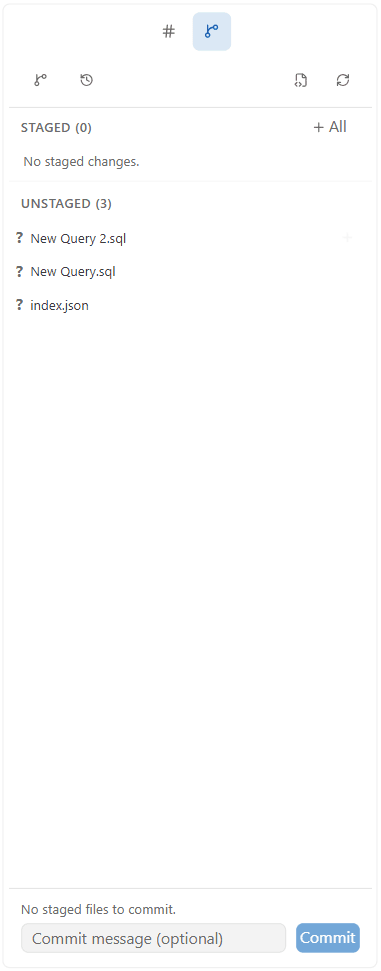
Open the Source Control panel from the left sidebar. Click the Changes tab. You'll see:
- Staged — scripts modified since the last commit
- A commit message input at the bottom
Enter a message and click Commit.
Viewing a Script Diff
In the History tab, click any commit, then click a file to open a diff — previous version on the left, current version on the right.
Restoring a Script
From the History tab, click a commit, then a file, then restore it. The script is restored and the restoration is recorded as a new commit.
Version history is project-scoped. Schema and script history for one project does not appear in another project's Source Control panel.
Schema Rollback (Pro · PostgreSQL only)
On Pro, Zentro lets you restore a schema snapshot from any point in the history. This rolls the tracked schema files back to the chosen commit's state — giving you the exact DDL that existed at that point as a reference or baseline.
- In the Source Control panel → History tab, locate a schema snapshot commit
- Restore it
- Zentro restores the schema files to that commit's state and records the restoration as a new commit
Schema rollback restores the tracked snapshot files — it does not execute DDL against the live database. Use the restored DDL as a reference to manually craft and run the revert statements.
Schema rollback is supported for PostgreSQL only in this release.