Context Search
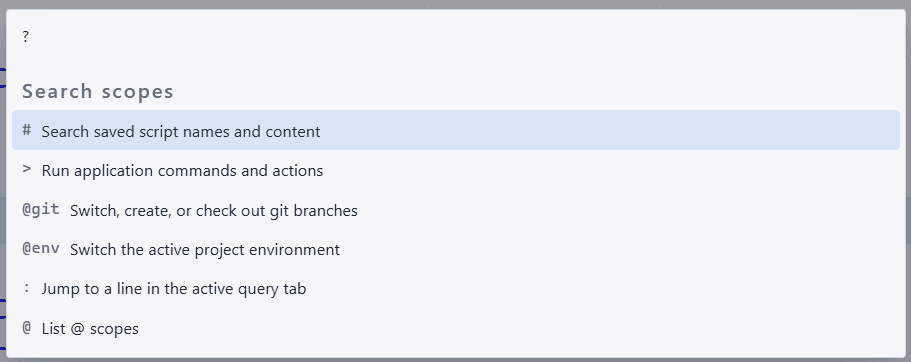
Press Ctrl+E to open Context Search — Zentro's Spotlight-style palette. It has several search modes, switched by typing a prefix character; with no prefix it searches your database schema.
Default Mode: Schema Search
By default, Context Search searches objects in the active connection's schema: tables, indexes, views, and functions/stored procedures are shown and matched by default.
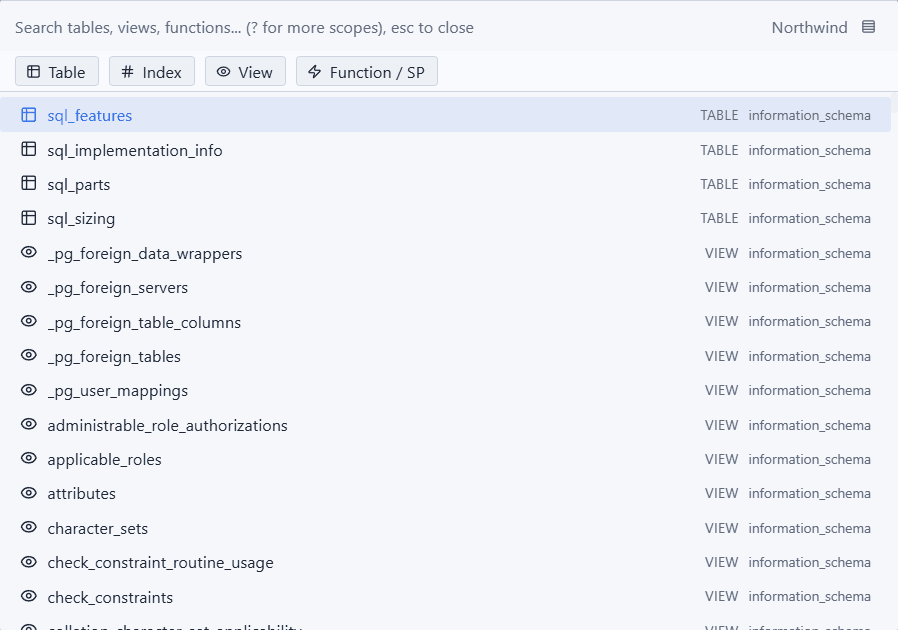
Start typing to filter — results are ranked by fuzzy match quality.
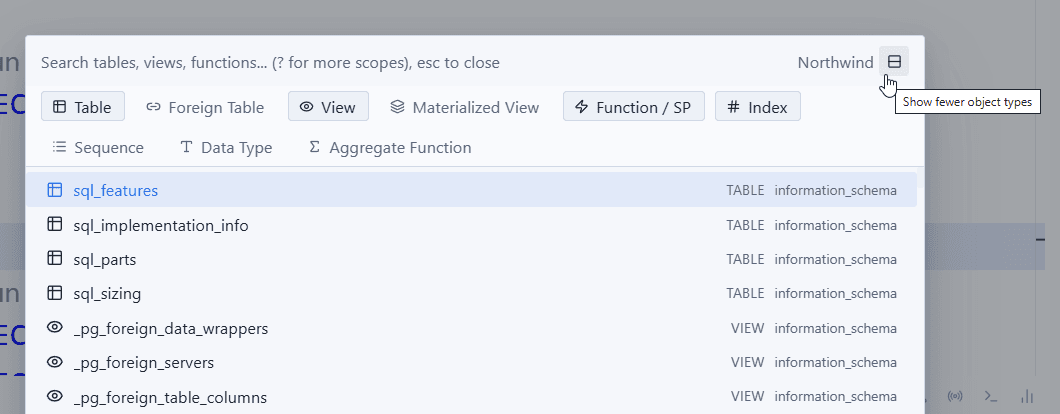
Click the rows icon in the top-right of the dialog to reveal the rest of the object kinds (foreign tables, materialized views, sequences, data types, aggregate functions) and toggle any kind on/off individually.
-
Enter/click on a table, view, materialized view, or foreign table opens it in a Table Data tab (the same view you get from clicking it in Schema Explorer) — not a raw SQL query.
-
Enter/click on a function or stored procedure opens a new query tab with a ready-to-edit call template (
EXEC/CALL/SELECT, depending on the driver). -
Enter/click on anything else (index, sequence, data type, aggregate function) opens a read-only info tab.
-
Right-click a table-like result for more actions: Browse,
SELECT *template,ALTERtemplate,INSERTtemplate,UPDATEtemplate.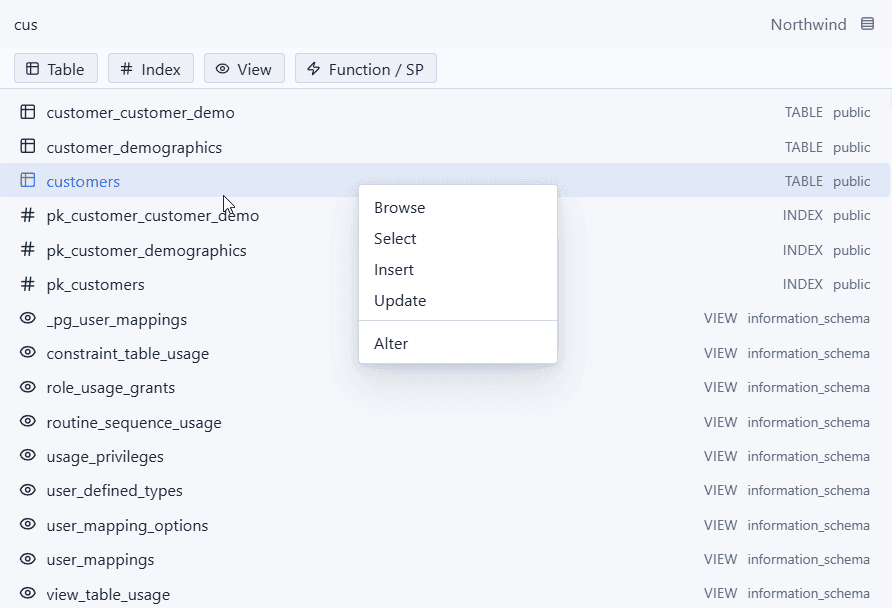
Script Search (# prefix)
Type # at the start of your query to switch to script search mode. It searches both saved script names and their SQL content — content matches show the matching line.
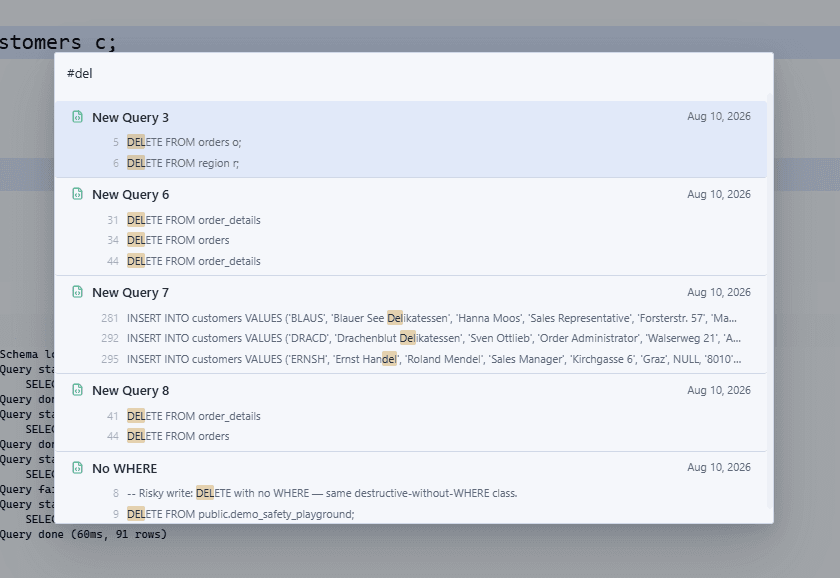
#monthly revenue
→ monthly_revenue_report.sql, revenue_by_month.sql, ...
Press Enter (or click) to open the script — it jumps straight to the matching line if the match came from content, and focuses the tab if the script is already open.
Other Modes
Context Search shares the same Ctrl+E entry point with a few other prefix-based modes:
| Prefix | Mode |
|---|---|
| (none) | Schema objects (default) |
# | Saved scripts |
> | Command Palette — run app-wide actions |
@ | List available @ scopes |
@git | Switch/create/check out git branches |
@env | Switch the active project environment |
: | Go to a line number in the active query tab |
? | List every search scope (cheat sheet) |
Keyboard Navigation
| Key | Action |
|---|---|
↑ / ↓ | Move through results |
Enter | Open/run the selected result |
Esc | Close Context Search |