Your First Project
In Zentro, a project represents one service or product — for example, my-app-backend or analytics. Each project has three environments (Development, Staging, Production), and each one binds to a connection from your shared connection pool plus the database it should use.
This structure lets you keep your databases organized and ensures you always know which environment you're connected to. Because connections live in a shared pool, a connection you add for one project is available to every other project too.
Creating a Project
Open the Project Hub
Click the project name in the toolbar, or press Ctrl+P.
Create a new project
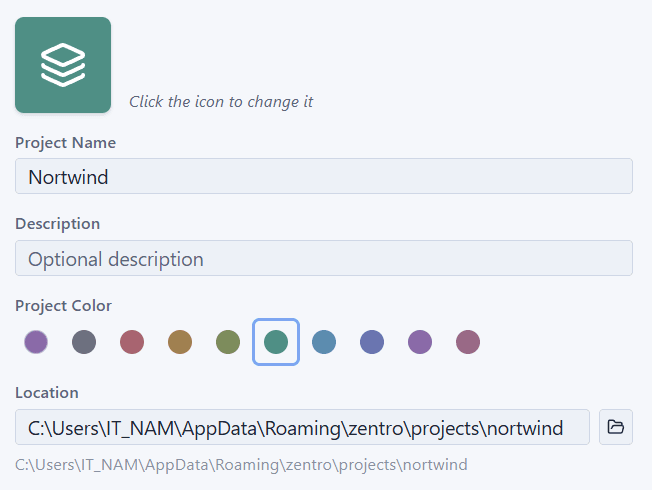 Click New, then fill in a name, pick an icon and color, choose a storage location, and confirm.
Bind an environment
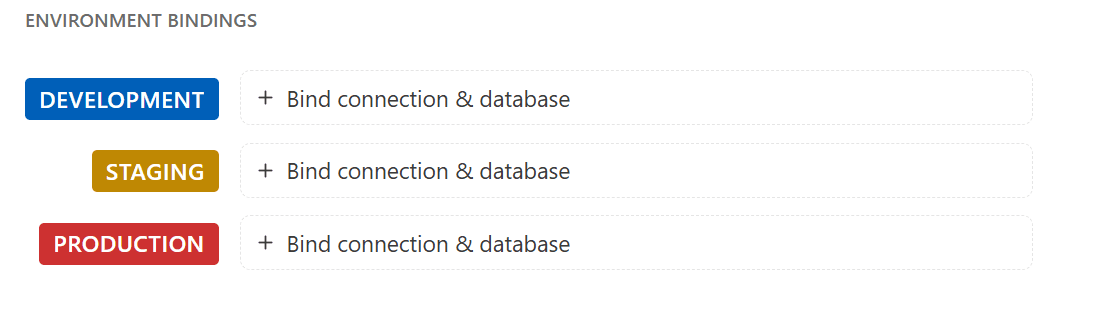
Inside your project, you'll see three environments: Development, Staging, and Production. Click any of them to bind it to a connection — pick one that's already in your shared pool, or add a new one.
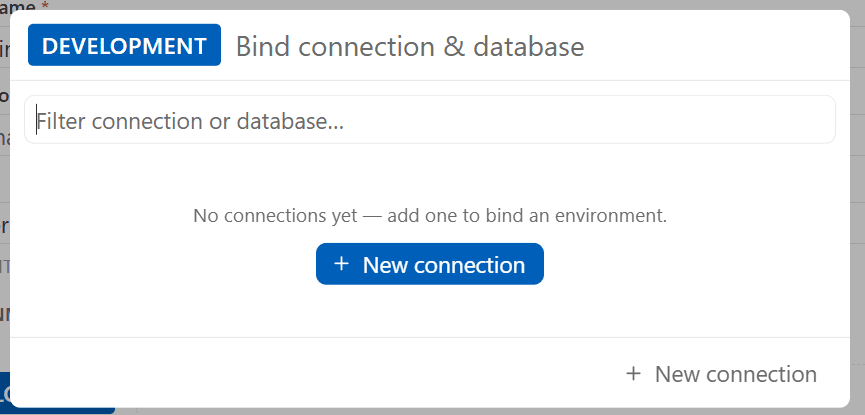 You can create new DB from here
Add a connection
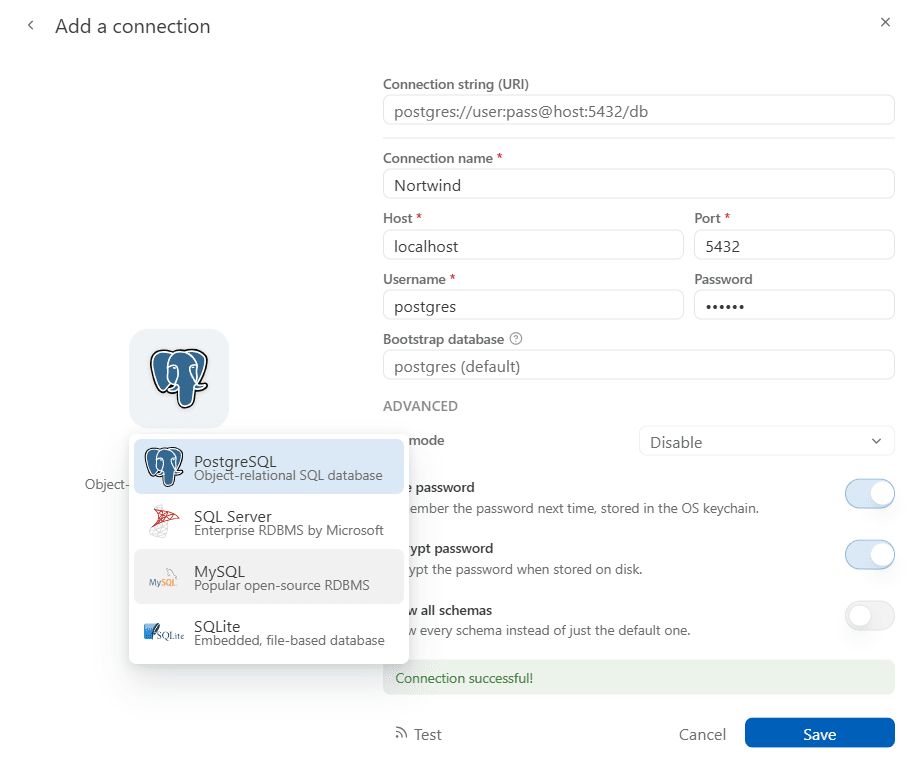
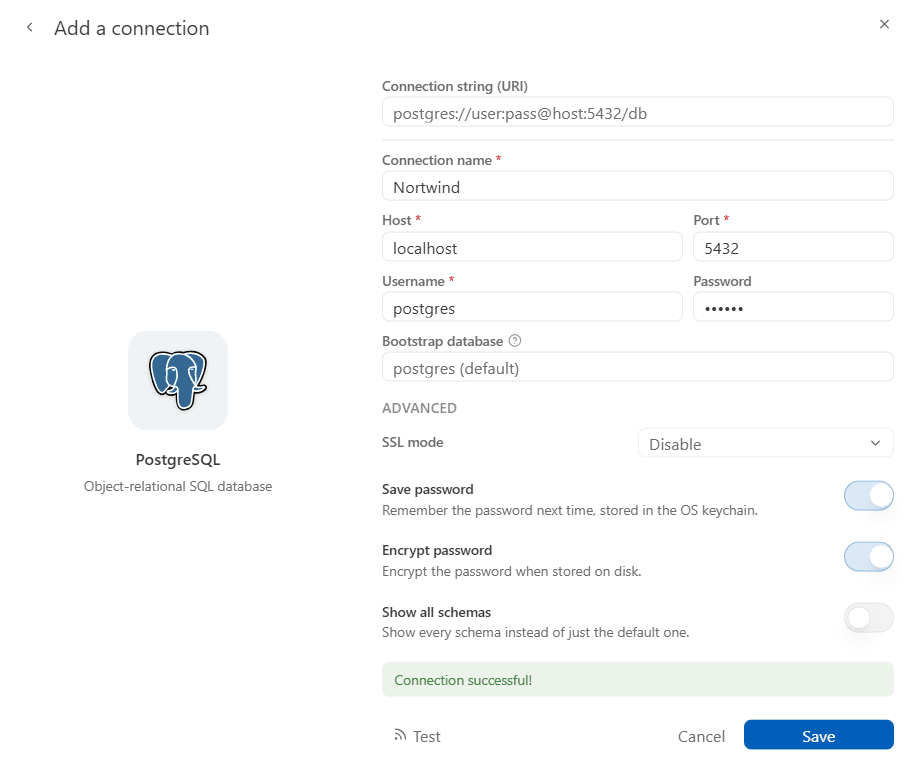
Fill in your database credentials (the connection is saved to your shared pool and can be reused by any project):
| Field | Description |
|---|---|
| Host | Database server address (e.g. localhost, db.example.com) |
| Port | Default: 5432 (PostgreSQL), 3306 (MySQL), 1433 (SQL Server) |
| Database | Name of the database |
| Username | Database user |
| Password | Stored securely in the OS keychain — not in any config file |
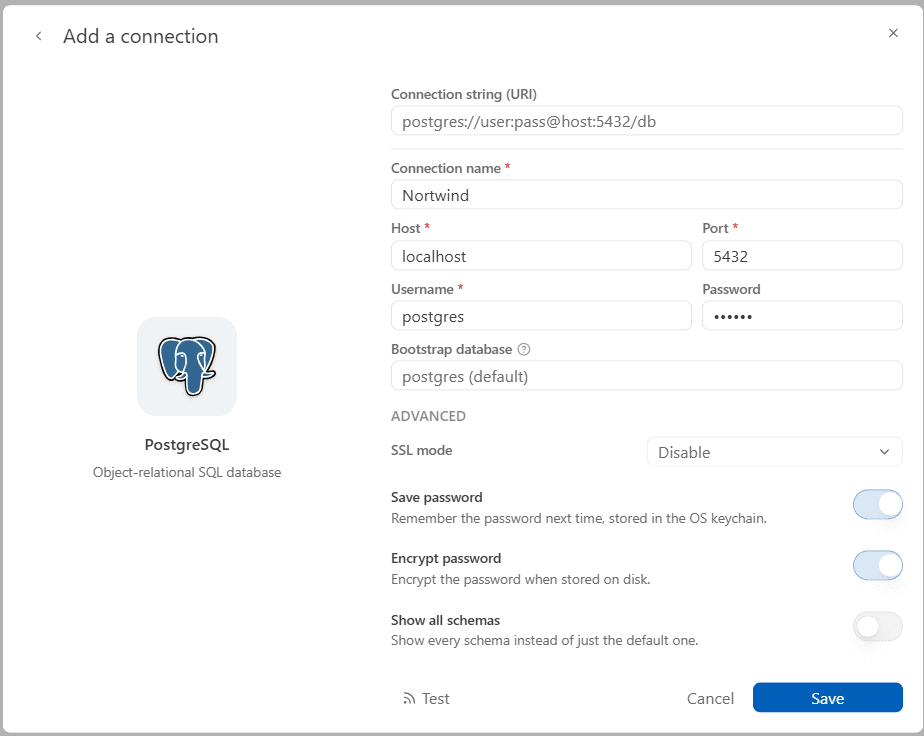
PostgreSQL was chosen by default, but you can change provider when click to logo
Test the connection
Click Test Connection. If it succeeds, click Save.
Understanding Environments
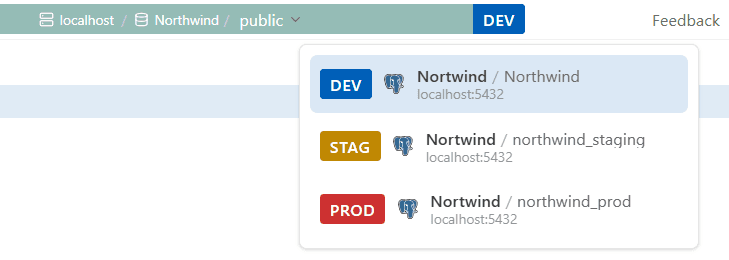
The environment you're currently in is always displayed prominently in the toolbar. You'll never wonder "wait, is this prod?" again.
| Environment | Indicator | Behavior |
|---|---|---|
| Development | Blue | Normal usage — Write Safety Level defaults to Balanced |
| Staging | Yellow | Write Safety Level defaults to Strict (tighter row-caps/timeouts than Development) but doesn't get the Production-only write ceremonies below — and unlike Production, you can loosen its level |
| Production | Red | Full safety guardrails — Write Safety Level is locked to Strict and cannot be lowered |
When you connect to a Production environment, Zentro activates the production overlay (a persistent visual indicator) and requires confirmation before any write operation — these baseline protections are available on every plan. Pro adds stricter enforcement on top: a mandatory cooldown, type-to-confirm for destructive statements, and a required reason field. See Production Safety for the full breakdown.
Switching Between Environments
Click the environment selector in the top bar. The entire UI updates to reflect the active environment. Your editor tabs, schema explorer, and data grid all switch context.
Next Steps
- Connecting to a Database — connection strings, SSL
- SQL Editor — writing and running queries
- Pro Early Access — unlock production safety features for free